
13 September 2026, 8 min read
How to Find Good First Issues That Are Still Open in 2026
Most good first issue lists are stale. How to find beginner-friendly open source issues nobody is working on, check a project's rules first, and get your first pull request merged.
"Look for issues labeled good first issue" is the advice everyone gets when they want to start contributing to open source. It is also why so many first attempts stall.
Here is what usually happens. You find an issue labeled good first issue. Someone claimed it three weeks ago. The next one already has two open pull requests. The third looks free, so you spend a weekend on it, and then a bot closes your pull request because the project requires a signed agreement, or does not accept AI-assisted code, or closes pull requests from accounts it does not recognise.
None of that is about your code. It is about finding the right issue and knowing the rules before you start. This guide covers both, with the exact searches I use.
Why most good first issue lists do not work
A label is a snapshot of a maintainer's opinion on the day they added it. It does not change when the issue gets claimed, when a pull request appears, or when the project stops merging outside contributions.
Popular issues also go fast. When I built Open Source Radar, a tool that tracks newcomer-friendly issues across more than 1,200 active projects, the pattern was obvious: in well-known repositories, a clearly described beginner issue often has a pull request within days of being labeled. A list compiled last month is mostly a list of work other people have already done.
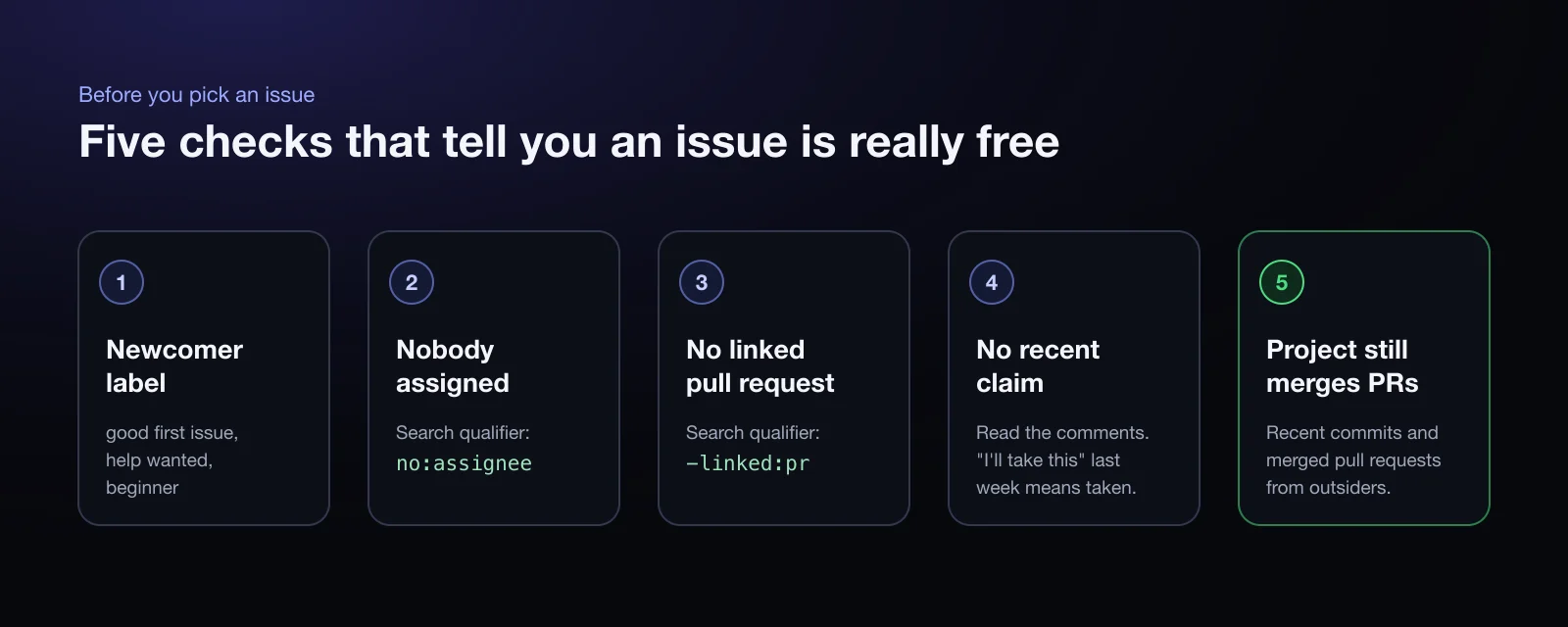
So the goal is not to find issues with the right label. It is to find issues with the right label that nobody is working on, in a project that still reviews outside contributions.
Search GitHub for issues nobody has claimed
GitHub's issue search can filter out most taken issues if you use the right qualifiers. Paste this into the search bar on github.com:
is:issue is:open no:assignee -linked:pr label:"good first issue" language:python updated:>2026-07-01
What each part does:
is:issue is:openlimits results to open issues.no:assigneehides issues that someone has been assigned to.-linked:prhides issues that already have a pull request connected to them. This single qualifier removes a large share of "available" issues.label:"good first issue"finds issues maintainers marked as suitable for newcomers. Trylabel:"help wanted"too; those are often less contested.language:pythonnarrows to one language. Replace it with the language you know best.updated:>2026-07-01skips issues nobody has touched in months. Use a date about two months ago.
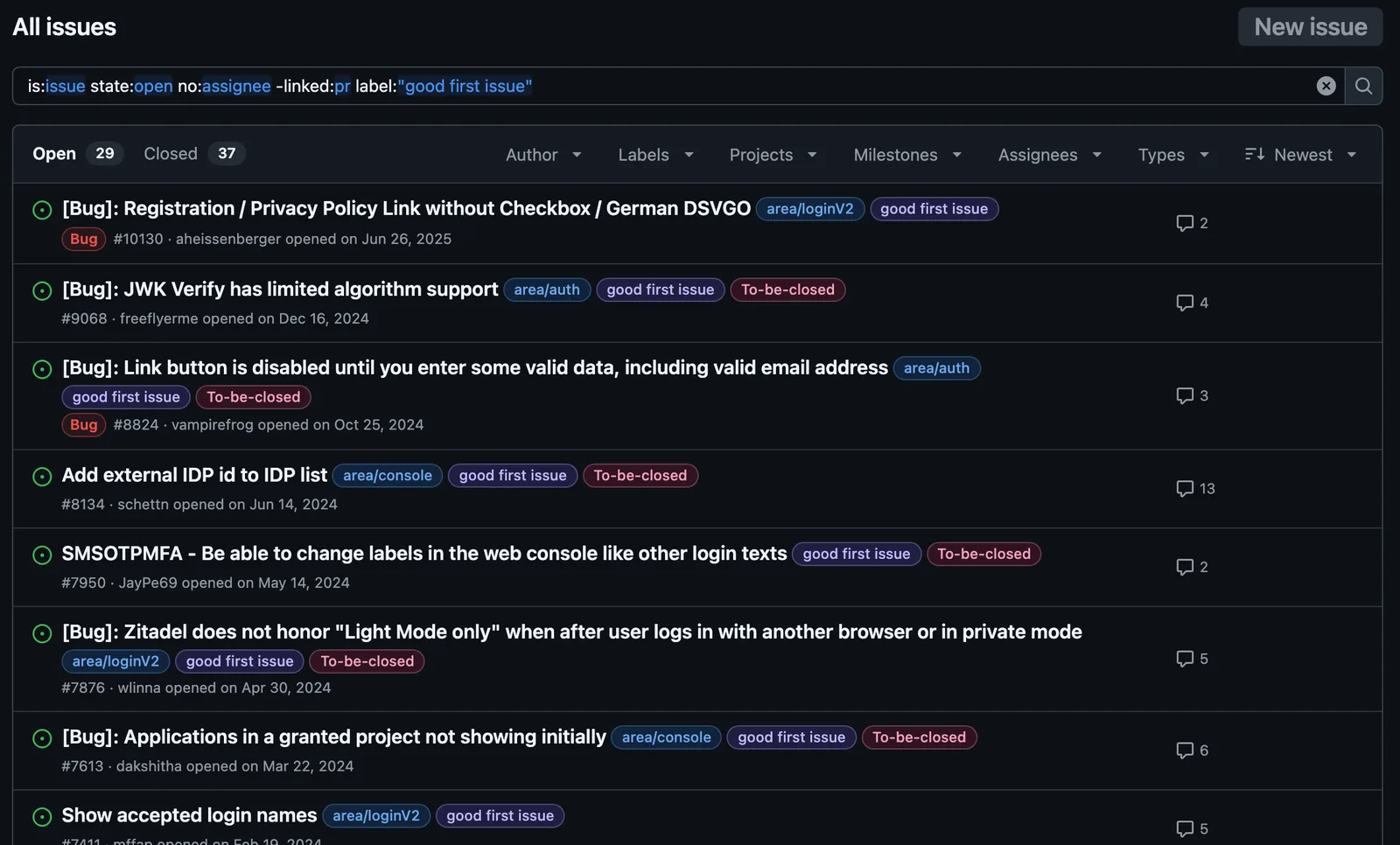
Then open each result and read the comments. A comment from last week saying "I'd like to work on this" means it is taken, even without an assignee.
Check that the project still merges outside contributions
The project matters more than the issue. An active, welcoming project reviews your pull request in days. An overloaded one may never look at it.
Before committing to an issue, spend two minutes on the project:
- Recent commits. Look at the commit history. Nothing in the last month is a warning sign.
- Merged pull requests from outsiders. Open the pull requests tab, filter by
is:pr is:merged, and look at the authors. If every merged pull request comes from the same two maintainers, outside contributions are not a priority right now. - Response time. Open a few recently merged pull requests from outside contributors and look at how long the first review took.
- Tone. Read a couple of issue threads. Patient, specific maintainers are a good sign even when they say no.
Read the rules before you write code
This is the step most guides skip, and the one that costs people the most time. Every project has its own rules for contributions, and some of them decide whether your pull request can be merged at all.
Look for these files: CONTRIBUTING.md, the pull request template in .github/, AI_POLICY.md, and AGENTS.md.
The rules that matter most:
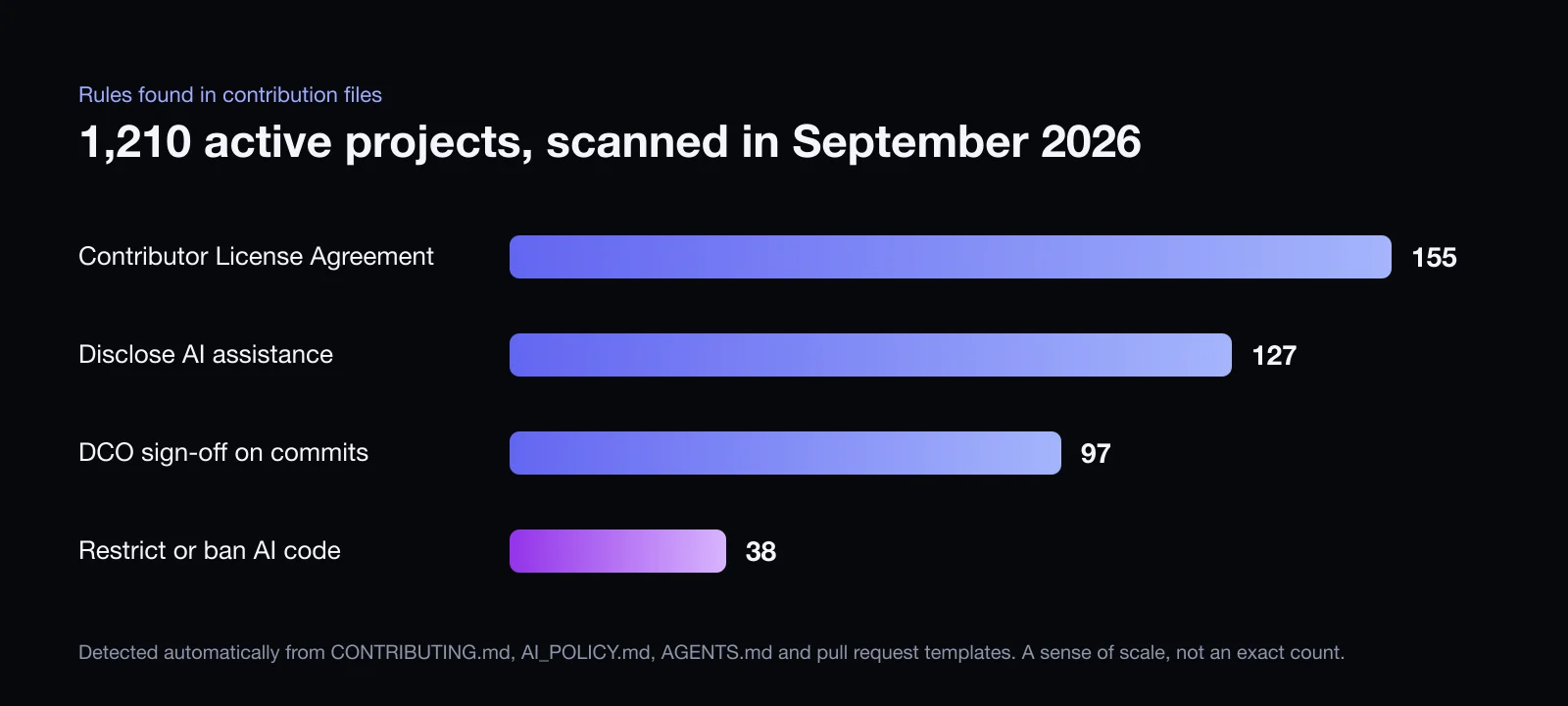
- Contributor License Agreements (CLA). A legal agreement some projects require, usually signed through a bot on your first pull request. Of the 1,210 active projects Open Source Radar tracked in September 2026, 155 mentioned a CLA in their contribution files.
- DCO sign-off. A lighter alternative where every commit needs a
Signed-off-byline. You add it withgit commit -s. 97 of those projects mentioned it. - AI contribution policies. This is new and changing quickly. 127 projects asked contributors to disclose AI assistance, and 38 restricted or banned AI-generated contributions outright. If you use AI tools, follow the project's rule exactly.
These numbers come from automatically scanning contribution files, so treat them as a sense of scale rather than an exact count. The point is that a meaningful share of projects has a rule you need to know about before you start.
Watch out for automation that closes pull requests
Because of the growing volume of low-effort pull requests, some projects now run workflows that close pull requests automatically. Patterns I have seen include closing pull requests from accounts that opened pull requests to many unrelated repositories in the same week, from branches named after AI tools, or that do not reference an issue labeled for outside help.
Two habits keep you clear of all of them: contribute steadily to a small number of projects instead of many at once, and read the files in .github/workflows/ if a project's contributing guide mentions automation.
Claim the issue the right way
Some projects want a comment before you start; others say to just open a pull request. When a comment is expected, make it useful:
I can reproduce this on version 4.2: running the command with an empty username loops forever instead of showing an error. The validation in the login prompt rejects the input without printing why. I plan to print the message and ask again, with a test. Does that approach sound right?
That comment shows you understood the problem, and it gives the maintainer a chance to correct your approach before you spend a weekend on it. Only claim an issue you will start this week.
Make the pull request easy to merge
Maintainers review a lot of pull requests. The easier yours is to understand, the faster it moves.
- Reproduce the bug first, on your machine, before changing anything.
- Write a test that fails without your change and passes with it.
- Keep the diff small. Change only what the issue needs. No drive-by refactoring or reformatting.
- Run the project's own checks locally: tests, formatter, linter, type checker.
- Follow the commit message convention you see in
git log. - Write a short description that says what was wrong, what you changed and how you tested it, and links the issue with
Fixes #123.
If nothing happens
Silence usually means busy, not no. After about a week, one friendly follow-up is fine: "This is ready for review whenever someone has time. Happy to make changes." Keep your branch free of merge conflicts in the meantime.
If your pull request is closed, read the reason. Someone may have fixed it first, the maintainers may want a different approach, or the change may be out of scope. None of those are a verdict on you, and a polite reply leaves a good impression for your next contribution.
A shortcut: Open Source Radar
Doing all of the above by hand for every issue takes time, which is why I built Open Source Radar. It runs these checks automatically twice a day and lists only open issues with no assignee and no linked pull request, from projects with commits in the last 60 days, sorted by language and topic. Each project shows badges for CLA, DCO and AI policy requirements, linked to the file they came from.
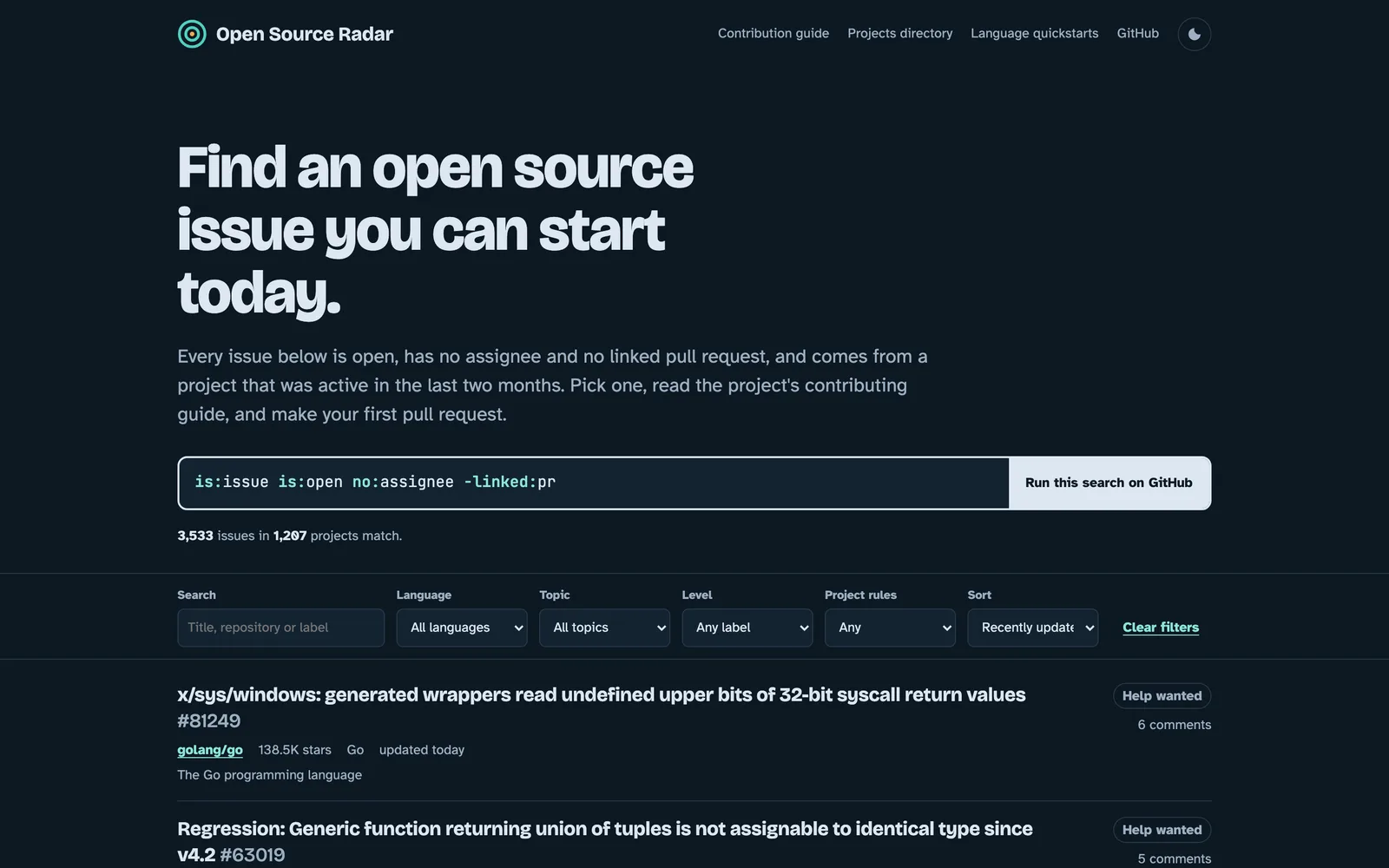
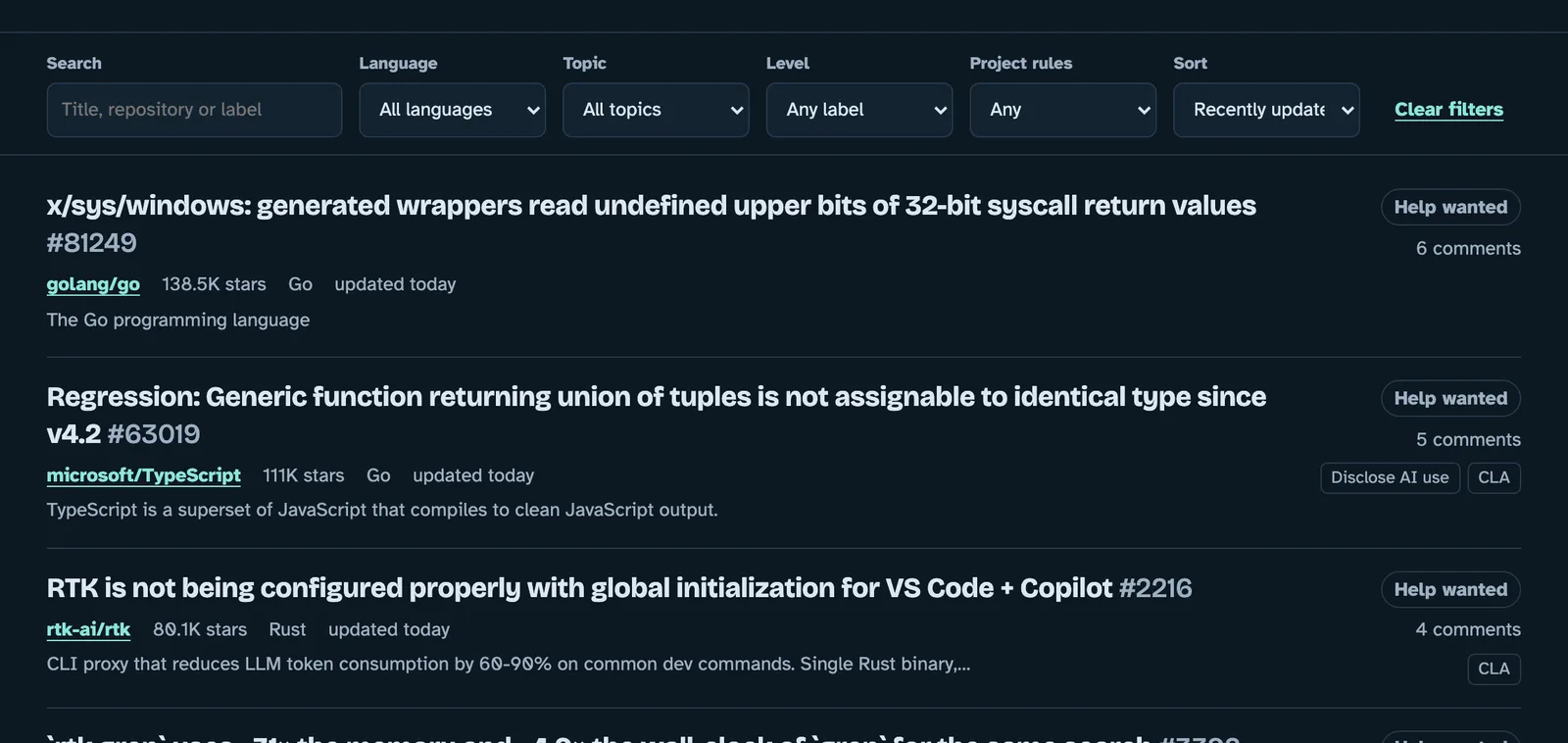
It is free and open source, and it includes a full contribution guide covering everything from setting up Git to handling review feedback.
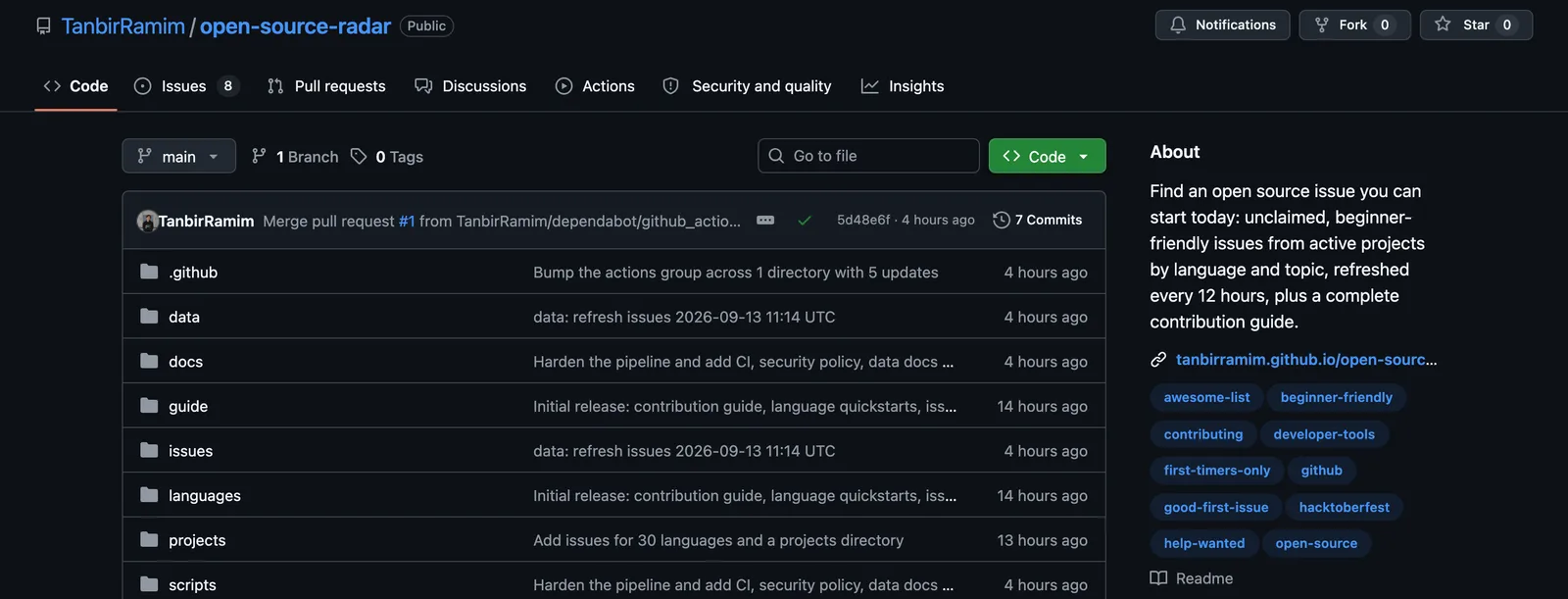
Pick one project you actually use, find one issue nobody has claimed, and start there.
Frequently asked questions
What is a good first issue on GitHub?
It is an issue that maintainers have labeled as suitable for someone new to the project, usually with the label good first issue, beginner or first-timers-only. It is small, clearly described, and does not need deep knowledge of the codebase.
How do I know if someone is already working on an issue?
Check four things: whether anyone is assigned, whether a pull request is linked in the Development sidebar or the timeline, whether a recent comment says someone is working on it, and whether an open pull request mentions the issue number. The GitHub search qualifiers no:assignee and -linked:pr filter out the first two automatically.
Do I need to sign a CLA to contribute to open source?
Only for projects that require one. Many company-backed projects ask for a Contributor License Agreement, usually through a bot that comments on your first pull request. Others ask for a DCO sign-off instead, which you add with git commit -s. The contributing guide says which applies.
Can I use AI tools to contribute to open source?
It depends on the project. Some allow AI assistance with the usual review standards, some require you to disclose it in the pull request, and some do not accept AI-generated contributions at all. Read the contributing guide, AI_POLICY.md or AGENTS.md before you start, and always understand every line you submit.
How long does it take for a first pull request to be reviewed?
Anywhere from hours to weeks. Active projects with several maintainers often respond within a few days. If there is no response after a week, one polite follow-up comment is fine.